
Mod guide Diablo II: Resurrected
How to Play Diablo II: Resurrected in VR with the D2R VR Mod
Last updated: October 23, 2026
A living guide, updated as the mod changes. For Evan Marcus's first look at the release, see our October 6 piece.
D2R VR is a free, open-source mod that puts Diablo II: Resurrected in a PC VR headset, with four ways to see it: the classic camera in true 3D, a camera behind your hero, the whole game laid on your floor, and first person with the weapon in your hands. It is made by BodyWalkVR and installs with one program from the mod's page. Since version 0.170 it is a mod for the D2RLoader mod loader, which you need and which the installer can fetch for you. It is for offline single player only. As of October 23, 2026 the download is version 0.177 from October 22, which BodyWalkVR's own notes call a test version; 0.176, from the same day, heads its list of stable releases. Since 0.166 the mod can run the headset and controllers on its own, without the BodyWalk app.
| D2R VR | |
|---|---|
| Price | Free. You need your own Diablo II: Resurrected |
| Made by | BodyWalkVR, not Blizzard |
| Mode | Offline single player only |
| Views | F1 above, F2 behind, F3 on your floor, F4 first person |
| Headsets | PC VR through OpenXR, or BodyWalk's FlatVR |
| Needs | D2RLoader, not bundled; Setup can fetch 1.3.1 |
| Tested with | Game build 3.3.93787, D2RLoader 1.3.1 |
| Current version | 0.177, a test build, October 22 (newest stable: 0.176, same day) |
The mod at a glance, checked October 23, 2026.
Read this first: offline only
The four views
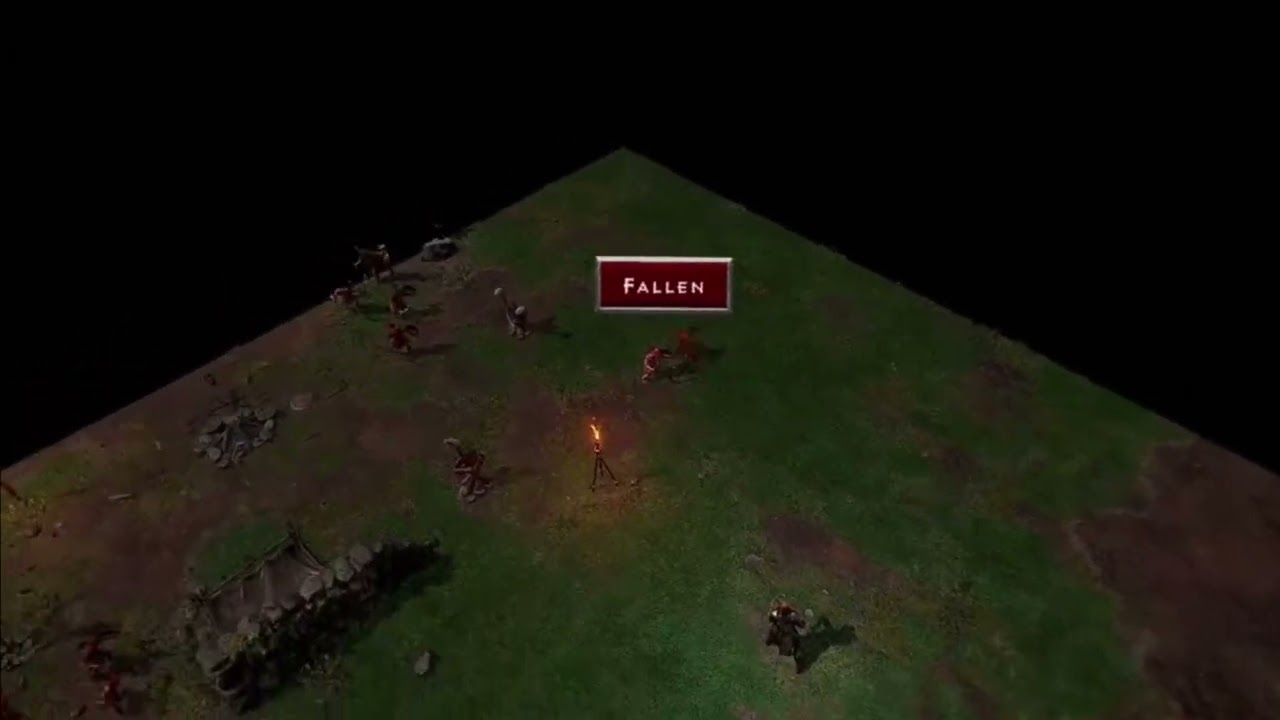
The game's own camera, drawn in true perspective with one image per eye, so walls and hills stand up
A free camera behind your hero, turned with your head
The whole game as a diorama in your room, from tabletop to life size, to walk around
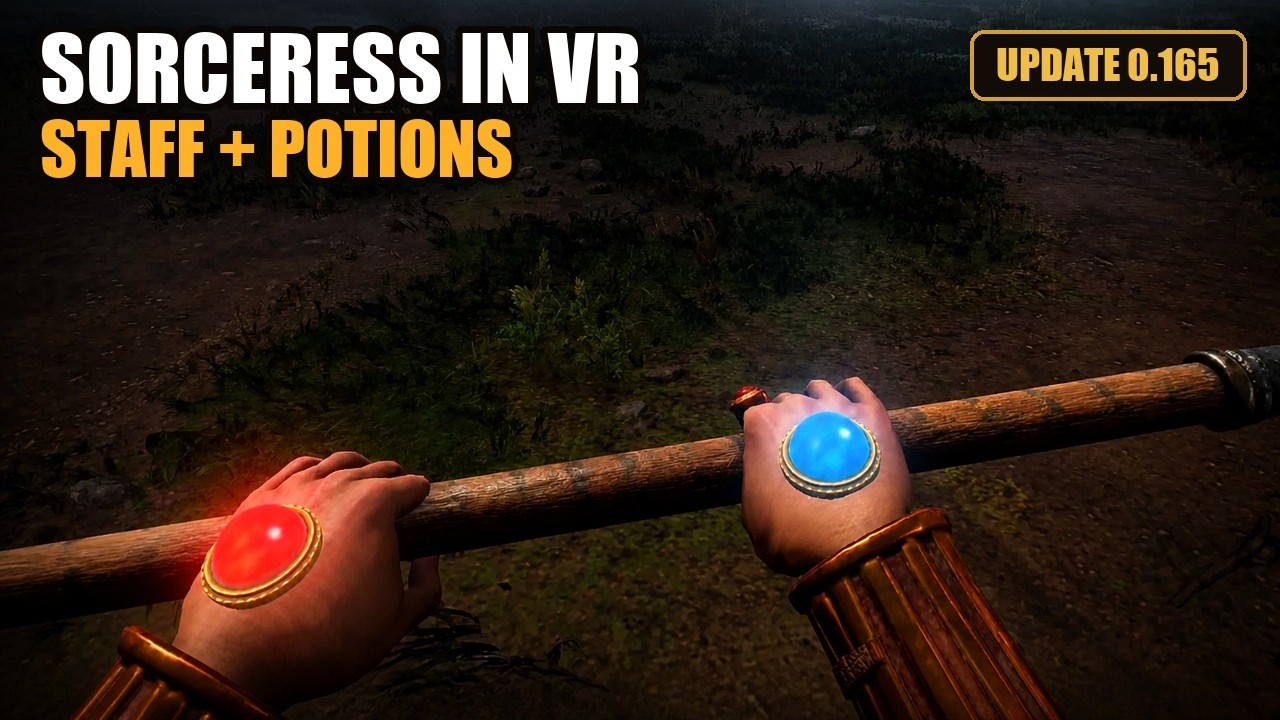
Your arms are the hero's, holding the weapon. Still labeled a preview
Press F1 to F4 in the game, or F12 to go round them.
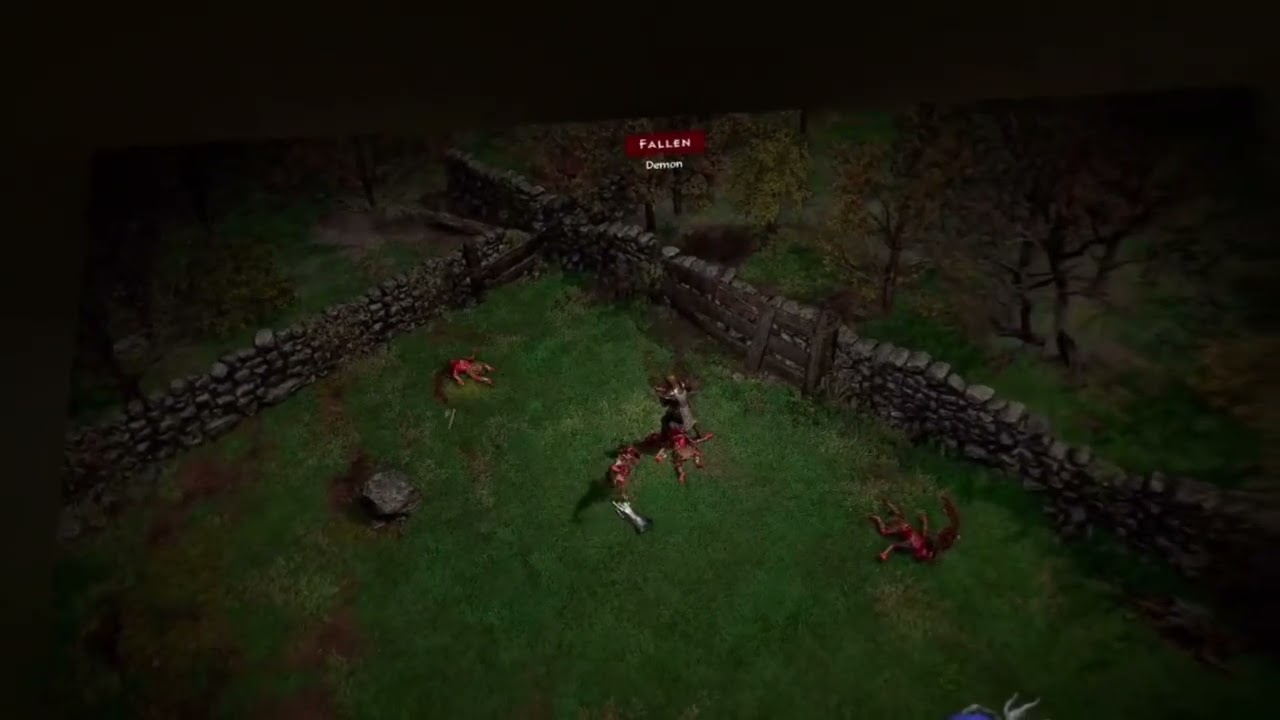
F3 is the one people tend to show friends. Pick a pure black or green background in D2R VR Authentic Settings under Camera, turn on passthrough in Virtual Desktop with that color as its color key, and the background is cut away, so the game stands on your real floor.
What you need
- The game. Diablo II: Resurrected from Steam or Battle.net. The mod ships none of Blizzard's files. The README lists build 3.3.93787 as tested; other builds need their addresses checked, and the plugin says so in its log.
- D2RLoader, required. D2RLoader is the community mod loader D2R VR has run under as a mod of its own since 0.170, and the mod does not ship it. Version 1.3.1 is the tested one. If it is missing, Setup and the settings program's Home tab can both download that version from d2rloader.net and check it against the SHA-256 the site publishes.
- ReShade. ReShade with add-on support and its Generic Depth add-on. Setup no longer installs it; the settings program's Install ReShade button does, into the mod's own folder. A ReShade you already have next to D2R.exe is used as it is.
- A PC VR headset and Windows. Anything with an OpenXR runtime on Windows 10 or 11 (64-bit), including a Quest connected to the PC.
- BodyWalk, only for some routes. BodyWalk VR Motion Mapper is $15 on Steam, with a free Lite version the installer adds in VR when you have none. The README asks for 1.78 or later with FlatVR and its Game Link plugin if you use it; Setup puts its own portable copy beside any BodyWalk older than 1.79. The default native OpenXR setup does not need it.
How to install it, step by step
Since 0.170 the installer, its shortcuts and the settings program use the name D2R VR Authentic; the d2r-pcvr fork goes by D2R VR Unleashed. The folder in the game is still mods\D2R-VR.
Tick steps off as you go. Your progress stays on this device, so you can follow along on your phone at the PC.
- Own the game, and keep it offline. You need Diablo II: Resurrected from Steam or Battle.net. The mod is for offline single player only: its README warns that injecting code into the game online can get the account banned.
- Have D2RLoader in the game folder. Since 0.170 D2R VR is a mod for D2RLoader, the community mod loader, and it runs only under it. The mod does not ship the loader. If D2RLoader.exe is not next to D2R.exe, Setup stops at the folder page and offers to download version 1.3.1 from d2rloader.net, check it against the SHA-256 the site publishes and unpack it there, or to open the site so you can install it yourself.
- Run the installer from BodyWalkVR. Download the D2R VR installer from the mod's page on BodyWalkVR's site, choose VR or Flat, and confirm the game folder, which Setup always asks for. It installs everything into mods\D2R-VR in that folder, moves an install from 0.169 or older there with your settings, and in VR adds the free BodyWalk Portable (Lite) if you have no BodyWalk. GitHub has the source but no ready builds.
- Install ReShade from the settings program. Setup no longer installs ReShade itself. Open D2R VR Authentic Settings from its desktop shortcut, and if the Home tab shows Install ReShade, press it: it fetches ReShade with add-on support from reshade.me and puts it in the mod's folder. A ReShade you already run as dxgi.dll next to D2R.exe is used as it is.
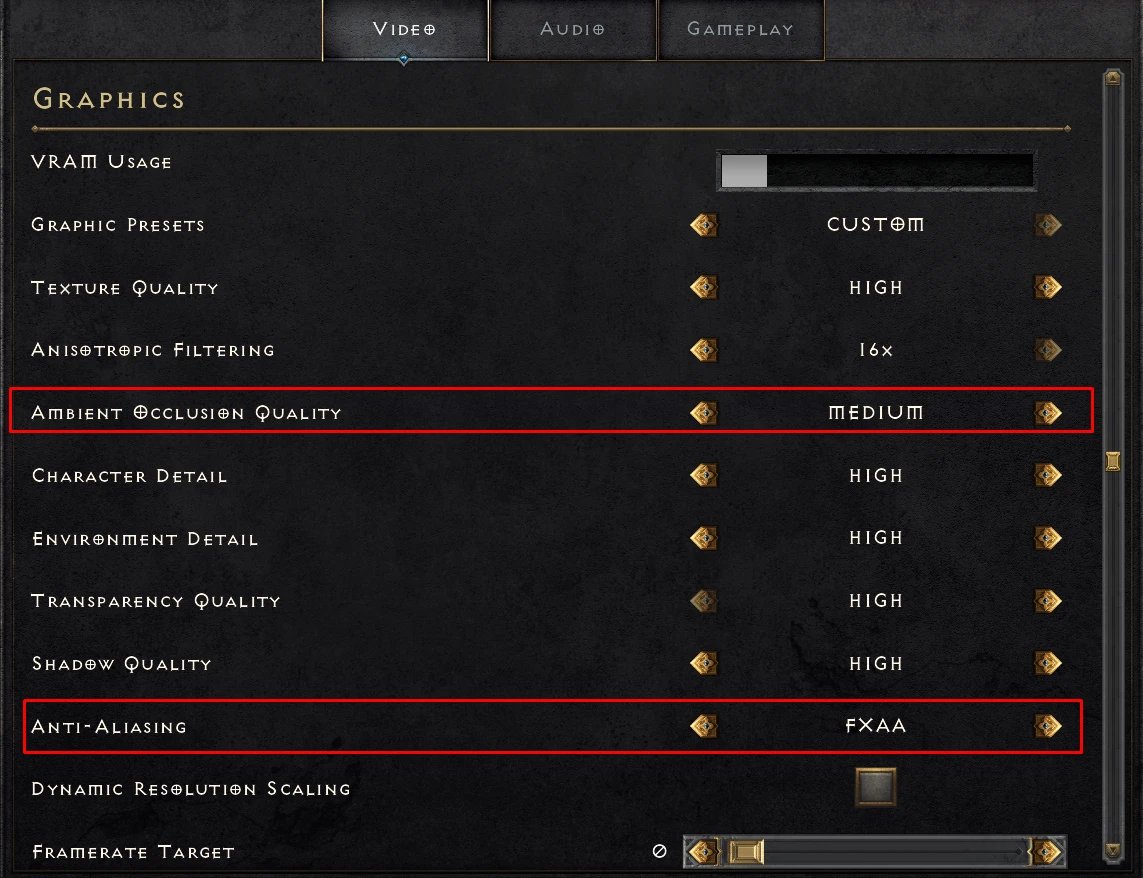
- Fix the game's video settings. In Options, Video: Vertical Sync off, anti-aliasing on FXAA or MSAA rather than TAA, and ambient occlusion on Medium. DLSS works on or off. In VR, the settings program's Status column reads the game's own settings file and flags Vertical Sync or TAA left on, after the game has run once.
- Start your headset. Connect your PC VR headset and start its OpenXR runtime. Quest owners connect through Virtual Desktop or a Link cable first.
- Press START on the Home tab. In D2R VR Authentic Settings, press START on the Home tab; the README still names this button Launch Diablo II (D2RLoader). It starts the game under D2RLoader with the mod, so use it rather than the Steam or Battle.net launcher. The Status column turns each check green when it is fine and red or orange with an instruction when it is not. The D2R VR Launcher, which Setup also installs, starts the mod the same way from its Play button.
- Pick a view. Press F1 to F4 for the four views, or F12 to go round them. Start with F1, the game's own camera in 3D, or F3, the game on your floor. The first time you enter F4, a guide in the headset starts with measuring your body.
The settings that matter
Two of the game's video settings decide whether this works at all. Vertical Sync has to be off, because the mod can draw the two eyes in turn and VSync halves the frames each eye gets. And anti-aliasing has to be FXAA or MSAA, never TAA, which builds each frame from the ones before it and so mixes the left eye into the right. DLSS, which the first versions told you to switch off, now works either way, with each eye getting its own pass.
The picture in the headset should be square. On the native OpenXR route that is a slider in D2R VR Authentic Settings, Home, In the headset: a render size from 1024 to 4096 pixels a side, or the headset's recommended size. The settings that ship with the mod now start it at 1536. The README also describes two older ways, a square game window dragged into shape or a square virtual monitor in BodyWalk's FlatVR.
Speed is moving fast. In 0.167 the author reports the native OpenXR picture in their own headset going from about 62 stereo pairs a second to about 106, by binding the game's depth buffer once per frame instead of at every effect pass. For weaker graphics cards, 0.175 brought back a second native OpenXR choice under 3D in the headset, eyes by turns: the game draws one eye per frame and the graphics card builds the other from it, which the project puts at about half the work of the default. The full list is in the changelog.
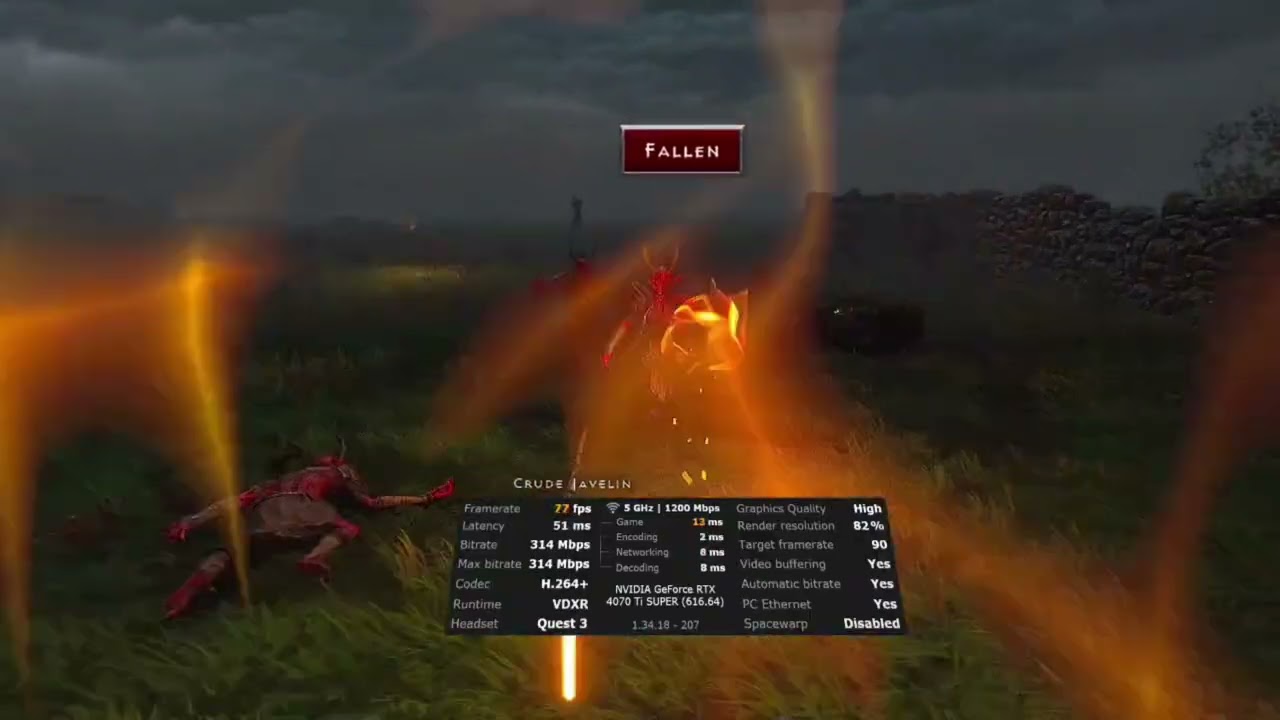
Controls
In F1, F2 and F3 you play the game the way it plays with a gamepad, with your VR controllers standing in for the pad. Without BodyWalk running, holding the left trigger and flicking a thumbstick drinks belt potion 1 to 4. First person is different. These are the defaults when the mod reads the controllers itself, from the README; every one can be rebound in d2r_vr.ini or from a list on the settings program's Controls tab.
| Control | Does |
|---|---|
| Left stick, right stick | Walk, turn |
| Right trigger | Attack |
| Right A | Pick up, open, talk |
| Right B, left X, left Y, left trigger | The game's skill buttons |
| Right stick click | Swap weapons; hold for the skill panel |
| Left stick click | Show items; quick click for the map; hold for the inventory |
| Menu button | Inventory; hold for the pause menu |
| Grips | Take belt potions, hold a staff with two hands, give a weapon its weight |
First person (F4) controls without BodyWalk, the default since 0.166.
Swing a sword and the blade picks its target. In the settings file on GitHub, which stops at 0.175, a swing has to move at least 6 meters a second over 15 centimeters, while a quick stab with a spear, dagger or javelin counts on its own terms from 0.8 meters a second over 5 centimeters, a rule 0.175 added. Since 0.173 a skill button can arm a melee skill such as Zeal, Smite or Whirlwind, and every blow is then that skill, paid in mana, with its icon in the medallion on your hand. Draw a bow with both hands, throw a javelin with your arm (the left one too, since 0.176), and drink potions by taking them off your belt.
For first person to fit your body, run the height calibration once: D2R VR Authentic Settings, Body, Measure my height and arm span, then stand in a T-pose and squeeze both triggers. A new player gets it first anyway, from the guide that opens in the headset on the first visit to F4. Since 0.174 a standing measurement gets your height right, the hero crouches when you do, and a seated mode measures only your arm span.
How finished is first person?
Not finished, by the project's own account. The README still boxes F4 as "an early look, not a finished way to play the game," warning that weapons may sit or aim wrongly in your hands, with a Weapon Adjust tab to fix each one by hand. It has nonetheless changed more than any other part of the mod since launch. A shield straps to your forearm, weapons go on your back over a shoulder, and in 0.176 a weapon stops on a monster's limbs instead of passing through. The 0.177 test build goes further: a stab sticks in and holds until you pull back, and humanoid monsters bend at the struck joint before their own animation takes over. If that gets in the way, the project says to untick it under Weapon Weight in the settings. F1 and F3 are the more settled ways in. F4 is the one to try for the novelty.
Help, safety and credits
Questions and bug reports go to the project's BodyWalkVR Discord, in its #diablo-2-vr channel; the server had about 360 members on October 23. The source is on GitHub under the MIT license, but there are no builds there, and the README notes the source does not yet build as it stands, so the installer from BodyWalkVR's own site is the way in. Get it there and nowhere else.
Two credits worth knowing. The idea came from D2R-3D, a free-camera project, though the README says D2R VR uses none of its code. And much of 0.167, including the turning options and the Steam Frame controller layout, came from a fork, d2r-pcvr by bearstonem, also MIT, which now goes by D2R VR Unleashed; 0.175's eyes by turns mode follows its version 0.3.24. Since 0.170 the two can share a game folder, each in its own mods folder, and D2RLoader runs whichever one it is told to. Eurogamer covered the launch on October 6.
Version history
Forty versions in seventeen days. The highlights, oldest first:
- Oct 6, 2026 0.138 First public release, with the four views on F1 to F4.
- Oct 6, 2026 0.141 Fixes the Barbarian's left hand and the sky in several areas, and lets daggers be thrown.
- Oct 7, 2026 0.143 to 0.144 Third person in VR, the game on the floor reworked, and every game control reachable from BodyWalk.
- Oct 8, 2026 0.145 to 0.152 DLSS works in real stereo and gets much faster, the game launches from the settings program, and a desktop shortcut.
- Oct 10, 2026 0.153 to 0.157 A one-pass stereo mode, frames paced to the headset, and the first native OpenXR prototype.
- Oct 11, 2026 0.158 to 0.162 Native OpenXR without black bars, square windows up to 4000 by 4000, and no more fog flicker in the left eye.
- Oct 12, 2026 0.163 No more attacks on head turns, with item labels and monster names placed in the world.
- Oct 14, 2026 0.164 to 0.165 First person grows up: spells and arrows follow your hand, weapons have weight, you throw by hand and draw a bow with both, and the controls work without BodyWalk.
- Oct 15, 2026 0.166 All of 0.165's new features switched on by default.
- Oct 16, 2026 0.167 A faster native OpenXR picture, the full controller in F1 to F3 without BodyWalk, a Steam Frame controller layout and the shield on your forearm.
- Oct 18, 2026 0.168 to 0.169 Weapons weigh what the hero's Strength says, a flail swings on a real chain, energy orbs along the bow pick the arrow skill, weapons go away behind your shoulders, and native OpenXR no longer freezes the game a minute in.
- Oct 18, 2026 0.170 to 0.171 D2R VR becomes a D2RLoader mod in its own mods\D2R-VR folder, Setup brings the new D2R VR Launcher, the Arcane Sanctuary gets its own sky, and a ReShade you already have is kept. 0.171 fixes aiming with a staff held in both hands.
- Oct 19, 2026 0.172 to 0.173 A first-start guide in the headset, thumbstick dead zones against stick drift, melee skills armed by their button with the icon in the mana medallion, and the map in your hand.
- Oct 20, 2026 0.174 Height measured right when standing, a seated mode, the hero crouches when you crouch, and the game's sounds turn with your view.
- Oct 21, 2026 0.175 Eyes by turns, a faster native OpenXR mode for weaker graphics cards; spears and katars hit again, a quick stab counts as a hit of its own, and game panels come nearer with the right grip.
- Oct 22, 2026 0.176 Smooth room-scale walking, javelins thrown with the left hand, weapons that stop on a monster's limbs, and fixes for a crash under Virtual Desktop and for the hands sitting at the belt on a Quest 2 over Link.
- Oct 22, 2026 0.177 A test build: a stab with a spear, dagger, javelin or sword sticks in and holds until you pull back, and humanoid monsters give way under the blow.
More VR mods we have set up
Every mod we have covered, with the steps and a difficulty rating for each, is on our best VR mods page.
- Mod guideTitanfall 2 in VR
- Mod guideAstro Bot Rescue Mission on Quest 3
- Our articleBreath of the Wild in VR with BetterVR
- Our articleMario Kart 64 in VR
- Our articleHalf-Life 2 standalone on Quest 3
Frequently asked questions
Is the Diablo II VR mod free?
Yes. D2R VR is free and its source is on GitHub under the MIT license. You need your own copy of Diablo II: Resurrected; the Infernal Edition listed at $39.99 on Steam on October 23, 2026. D2RLoader, which the mod needs, is a free download from its own site.
Do I need D2RLoader for D2R VR?
Yes. Since version 0.170, released October 18, D2R VR is a D2RLoader mod: everything of it sits in mods\D2R-VR in the game folder, and it runs only under the loader. The mod does not ship D2RLoader. If it is missing, Setup offers to download version 1.3.1 from d2rloader.net and check it against the SHA-256 the site publishes. Start the game with START on the settings program's Home tab, or from the D2R VR Launcher, so it runs under the loader with the mod.
Can I use the D2R VR mod online or on Battle.net?
No. It is for offline single player only. The project's README warns that injecting code into the game online can get the account banned, and says the mod is not made, endorsed or supported by Blizzard. Keep it away from any Battle.net character you care about.
Does it work with the original Diablo II or Lord of Destruction?
No. It needs Diablo II: Resurrected, Blizzard's 2021 remaster, because the remaster draws real 3D models that a VR camera can move around. The 2000 original is sprites. The README's tested pair is still game build 3.3.93787 with D2RLoader 1.3.1.
Do I need BodyWalk to play D2R VR?
Not any more for the default setup. Since version 0.166 the mod drives the headset through native OpenXR and reads your controllers itself, which the project still labels a prototype, and 0.167 extended those controls to all views. BodyWalk, a $15 app on Steam with a free Lite tier that the installer adds, still powers the FlatVR route and body-driven walking.
Which headsets work with D2R VR?
PC VR headsets with an OpenXR runtime on Windows. Quest headsets work connected to the PC, for example through Virtual Desktop, whose passthrough the project uses to stand the floor view in your real room, or through a Link cable; 0.176 fixed a crash under Virtual Desktop and the hands sitting at the belt on a Quest 2 over Link. Version 0.167 added a controller layout for the Steam Frame, which plays PC VR by streaming from the PC.
Is first person in D2R VR finished?
No. The README still labels first person, F4, a preview: weapons may sit or aim wrongly in your hands, and a Weapon Adjust tab lets you fix them. It has grown fast, though: since version 0.165 a sword hits what you swing it at and you draw a bow with both hands; 0.168 tied a weapon's weight to the hero's Strength; 0.173 lets a button arm a melee skill so every blow is that skill; and 0.174 added crouching and a seated mode. In the 0.177 test build a stab sticks into the monster and holds until you pull back.
Can I play it without a VR headset?
Yes. The mod also runs flat on a monitor with mouse and keyboard and no BodyWalk at all. In flat mode F1 is the game's camera, F2 third person and F3 first person.
What video settings does D2R VR need?
Vertical Sync off, because the mod can draw the two eyes in turn and VSync halves the frames each eye gets. Anti-aliasing on FXAA or MSAA, never TAA, which blends each frame with the one before and so mixes the eyes. DLSS works on or off. Since 0.167 the mod sets its own frame cap in VR and restores yours in flat mode. In VR the settings program's Status column flags Vertical Sync or TAA left on.